Feature Overview
Plan your screen content once and let it run by itself: video, menu cards, messages and live widgets on a schedule — monitored, and ready for resellers and their customers.
From the clip list to a live stream in three steps.
Collect clips
Add video clips from your own YouTube or Vimeo channel. Nothing is uploaded — you only need the link.
Build playlists
Sort clips into playlists. Mix them with menu cards, clocks, weather and news.
Run a project
A project schedules your playlists and gets its own permanent streaming URL. Open it in any browser, on any screen.
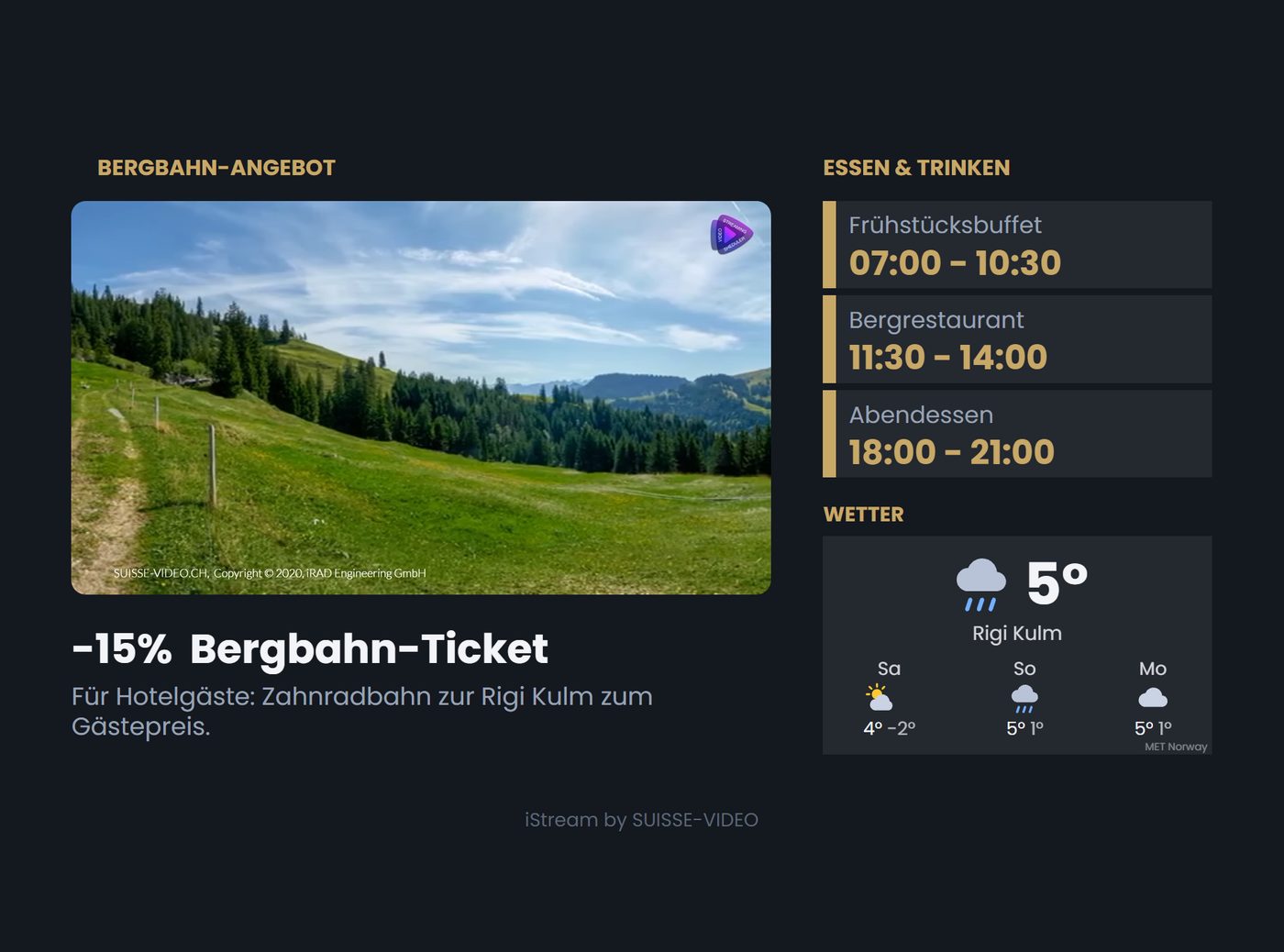
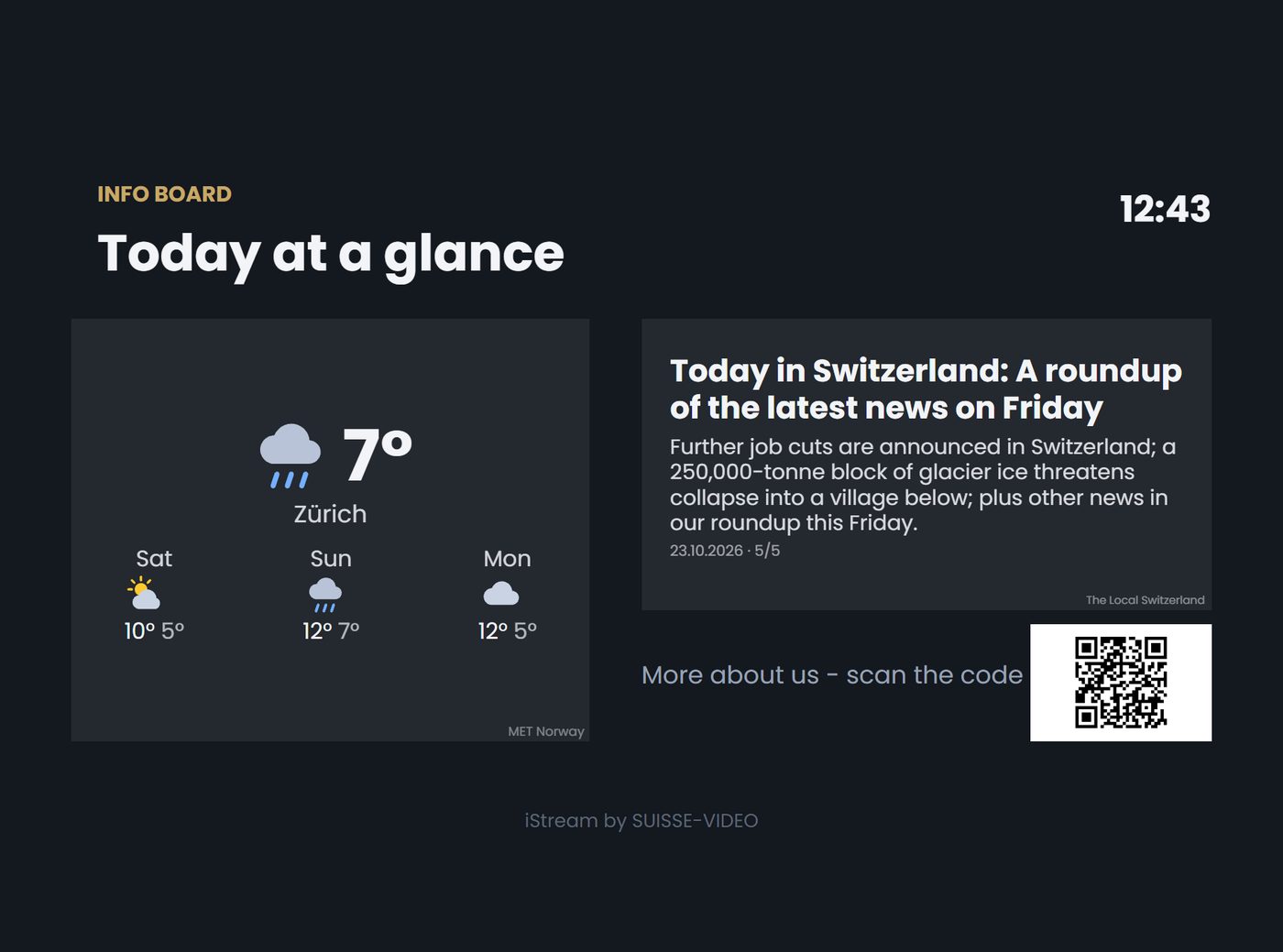
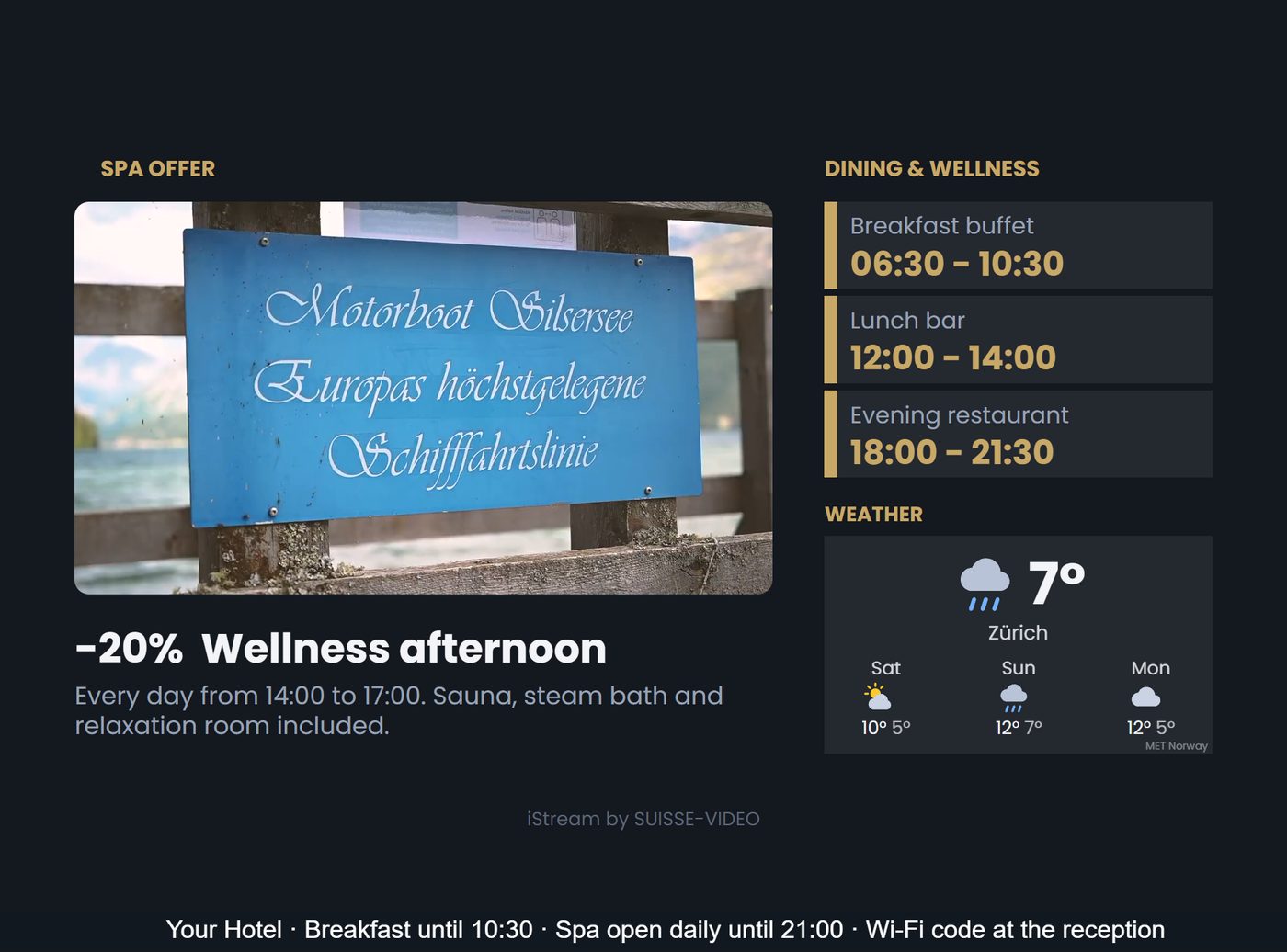
This is what your screens can show.
Video, offers, opening hours, weather, news and QR codes on one screen — planned in the app, shown in any browser.
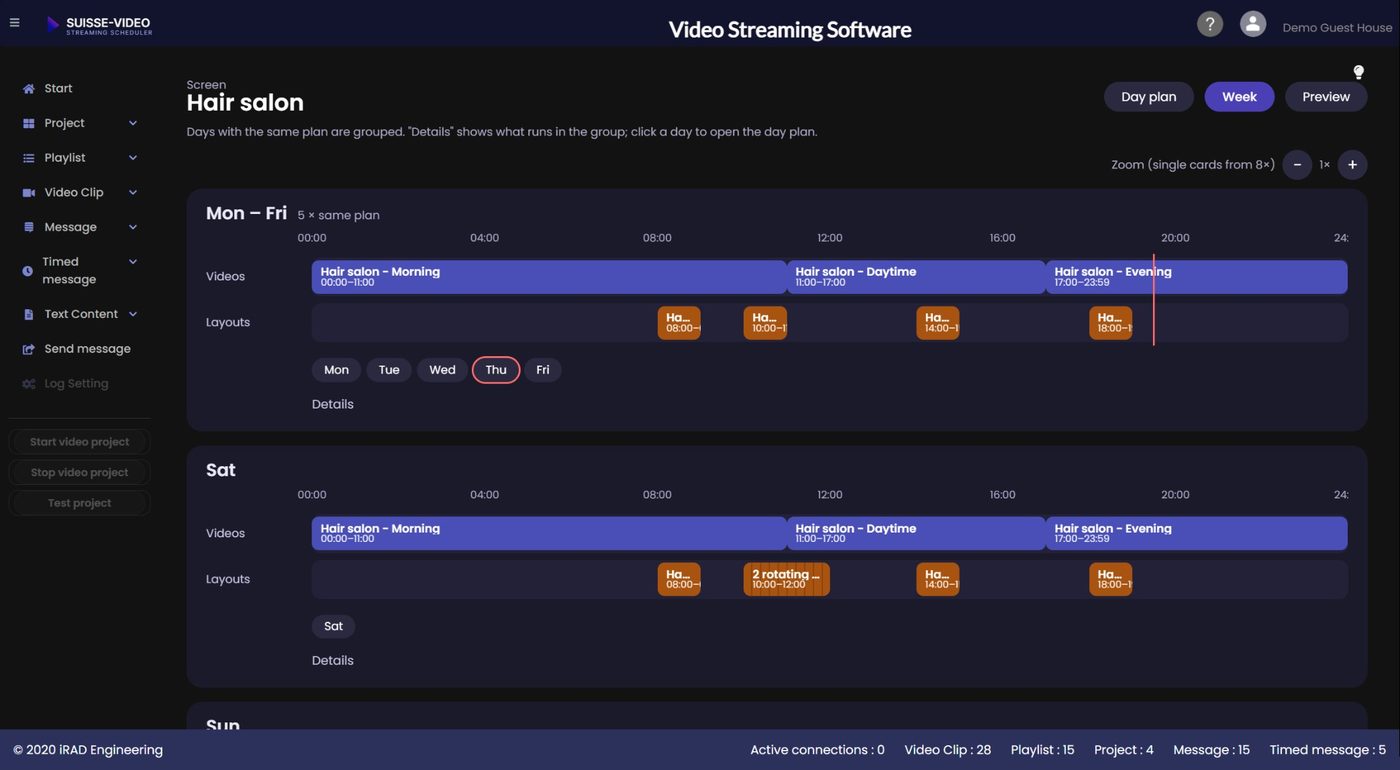
Day plan, week plan, special dates.
Decide what plays when — once, and months ahead. The plan shows video lists, layouts and special dates on one timeline.
- Daily plan with a live timeline of today
- Weekly plan: different content per weekday
- Special dates and periods, e.g. a conference or a Christmas menu
- Lunch and dinner times entered once, applied to all cards
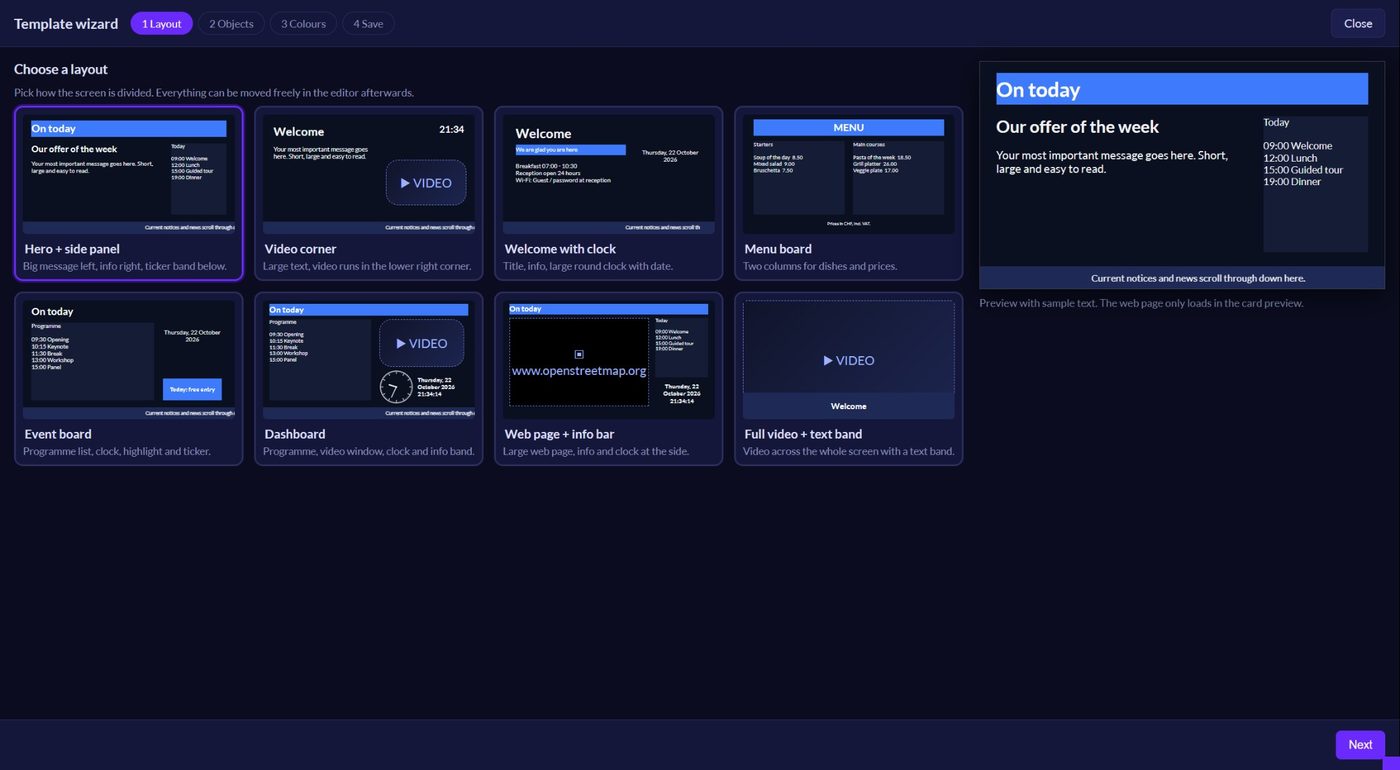
Start from a ready-made layout.
Choose a layout in the wizard and get a working screen in minutes. Then adapt texts, colours and times.
- Ready-made layouts such as welcome screen, menu board, event board and dashboard
- Guided setup in a few steps
- Everything stays editable afterwards
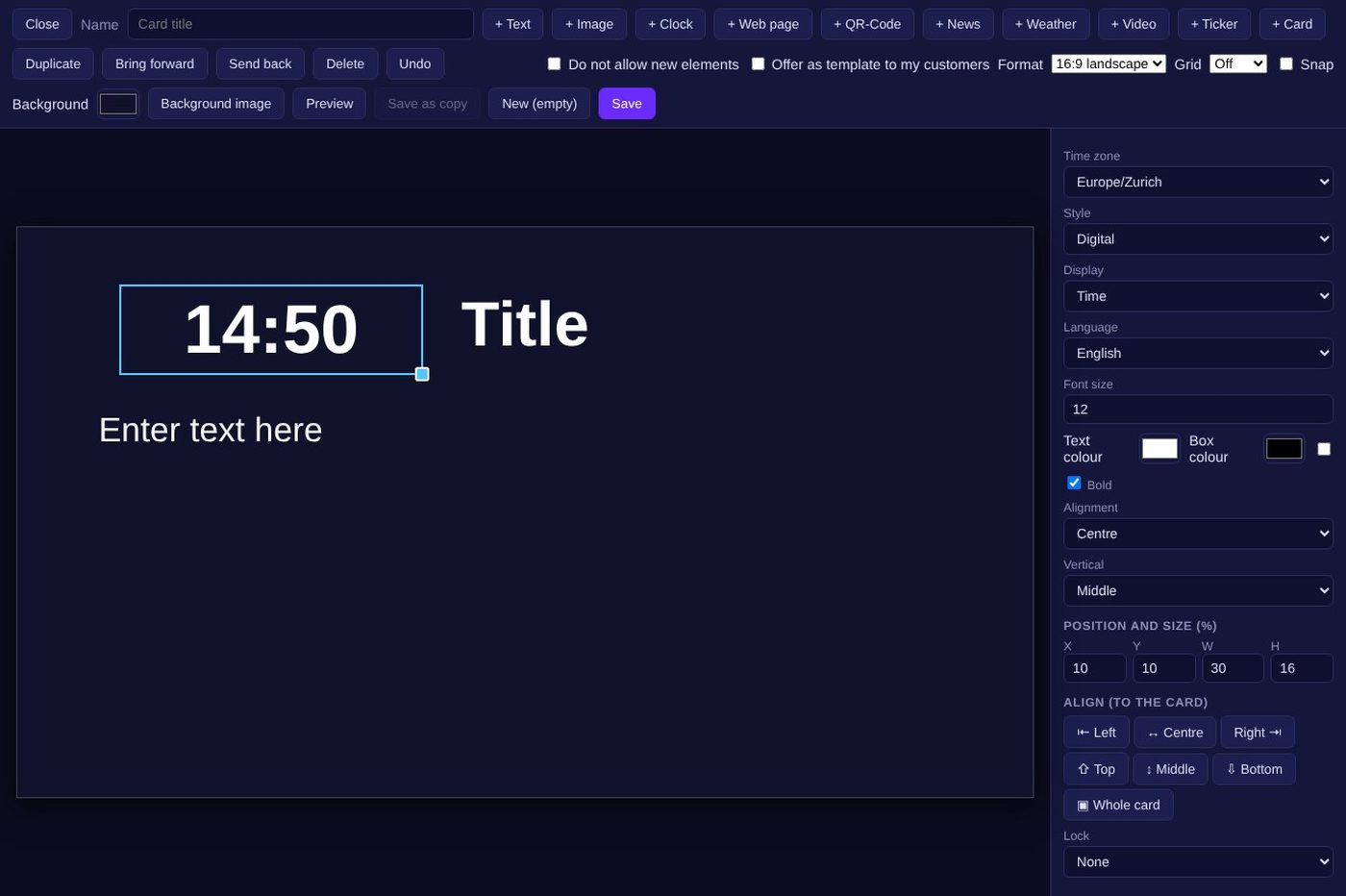
Design your own cards.
Build cards freely on a canvas and place them in the plan like any other content. Cards can be offered as templates to your own customers.
- Elements: text, image, clock, weather, news, QR code, ticker, web page and video
- Position, size, colours and fonts per element
- Formats such as 16:9 landscape, preview before saving
- Menu cards with tables, automatic scrolling for long text
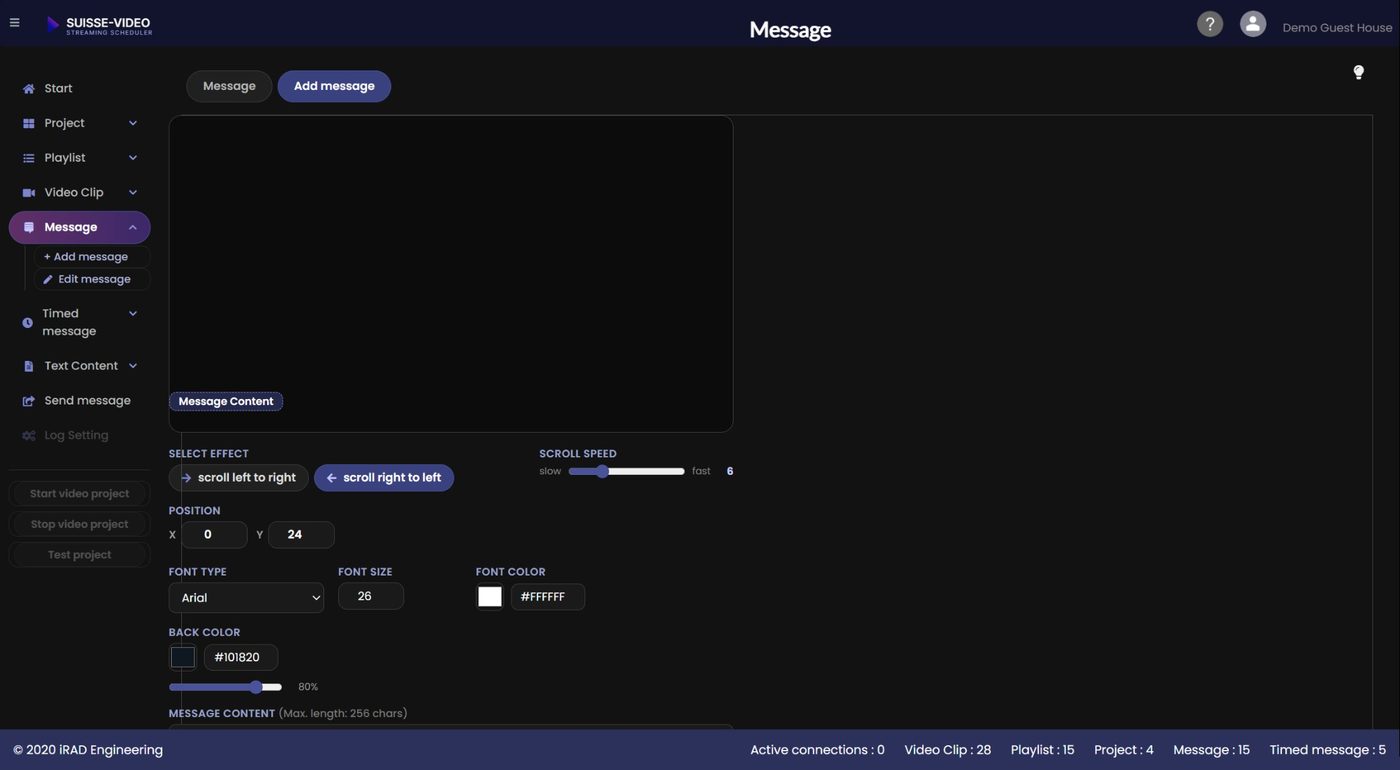
Reach your audience right now.
Send a message to a running project, or schedule it for a campaign. Save texts as templates and reuse them.
- Scrolling text or overlay, with speed, position and font
- Send live with a chosen display duration
- Timed messages with start and end for seasonal offers
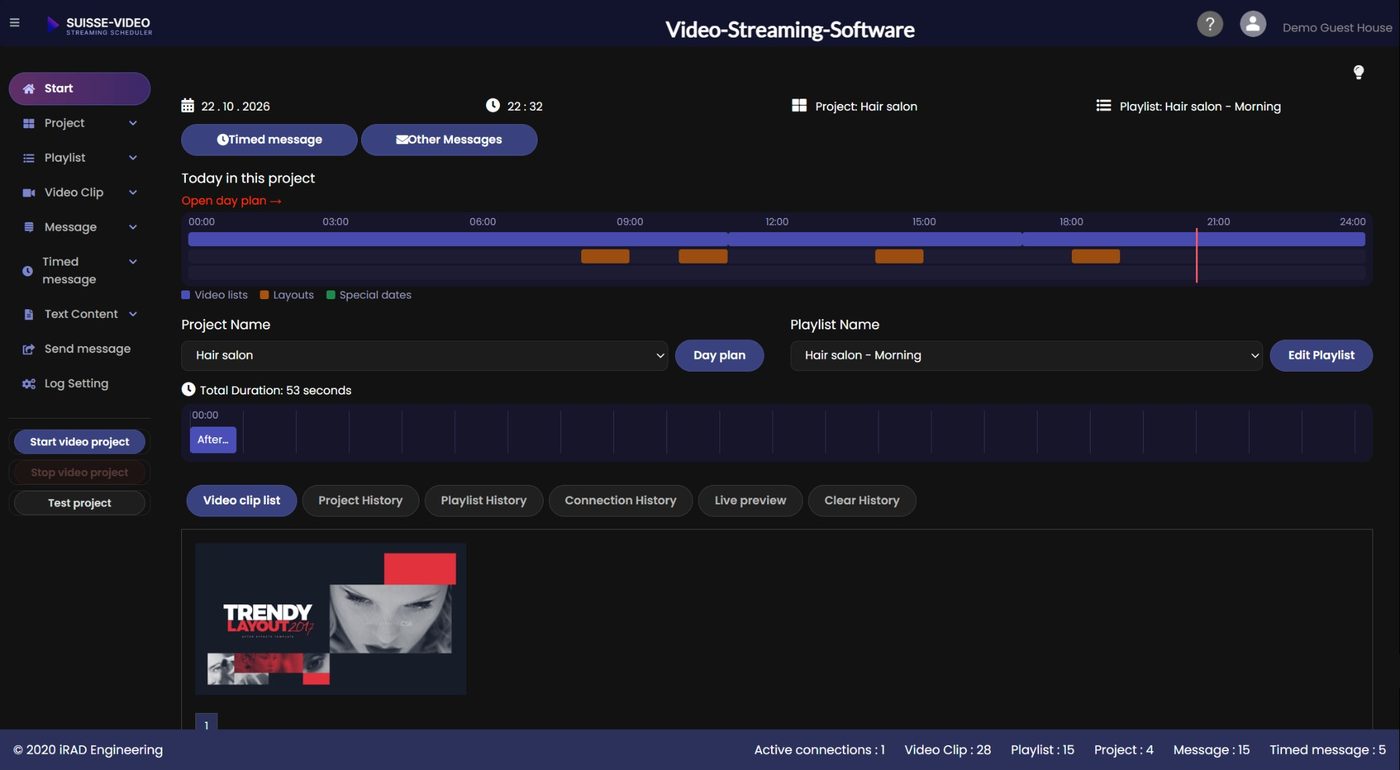
Know what is on air.
The start page shows the day at a glance, and the history shows what played and which devices connected.
- Live preview of the running project
- Project, playlist and connection history
- Active connections in the footer at all times
- Usage statistics
Your brand, your customers.
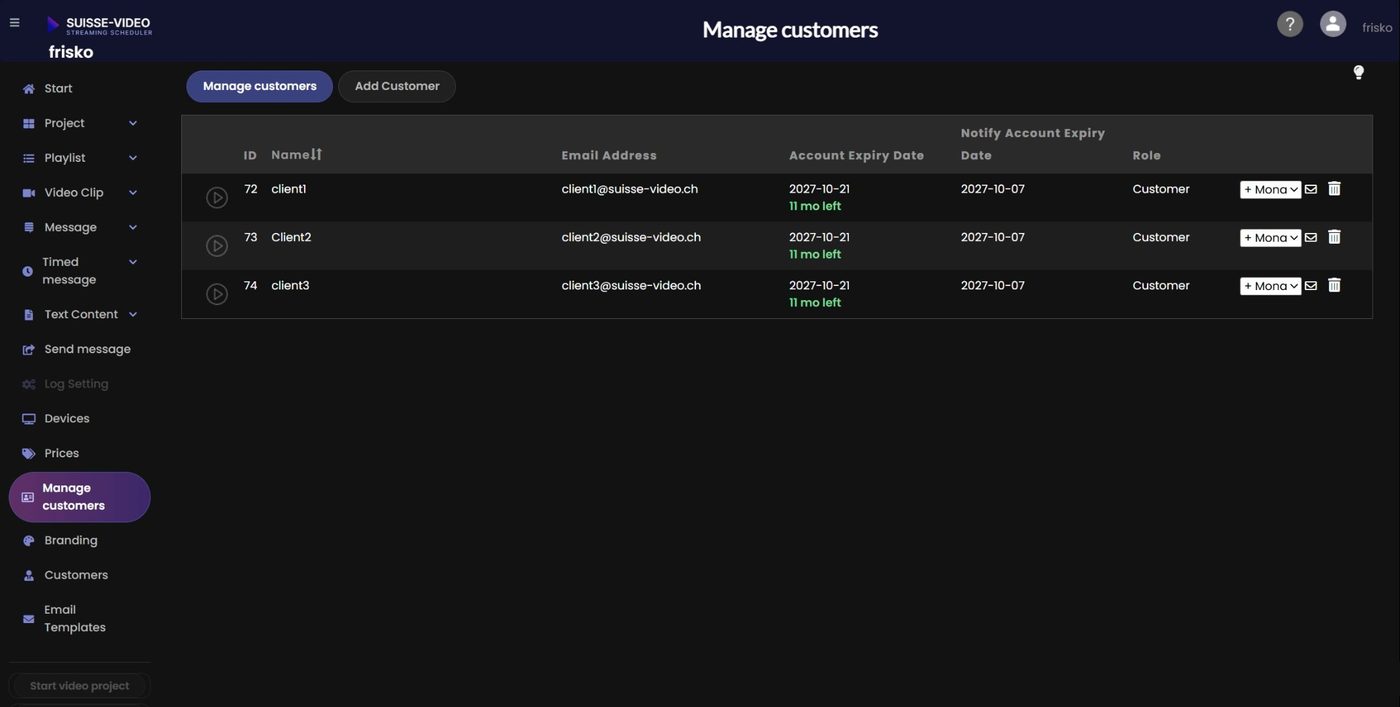
Manage your customers in one place and give each of them the right range of functions. Customers log in on a page that carries your logo and colours.
- Customer and reseller accounts with separate roles
- Feature profiles: decide per customer what is available
- Own logo, name, colours and login link
- Expiry reminders by e-mail in four languages, with editable templates
- Your own selling prices per plan
Want to see it with your own content?
Try it free for 30 days. Plans start at CHF 80 per month, with unlimited screens per project.
Ask us
Can't find what you're looking for? Contact us via our form or give us a call. Contact form · +41 76 318 12 25